Handoff SMS opt-in
This public page documents how Handoff users opt in to receive SMS messages from their AI workspace assistant. The opt-in experience itself happens inside the authenticated Handoff web app.
Messaging program
Opt-in workflow
Sign in
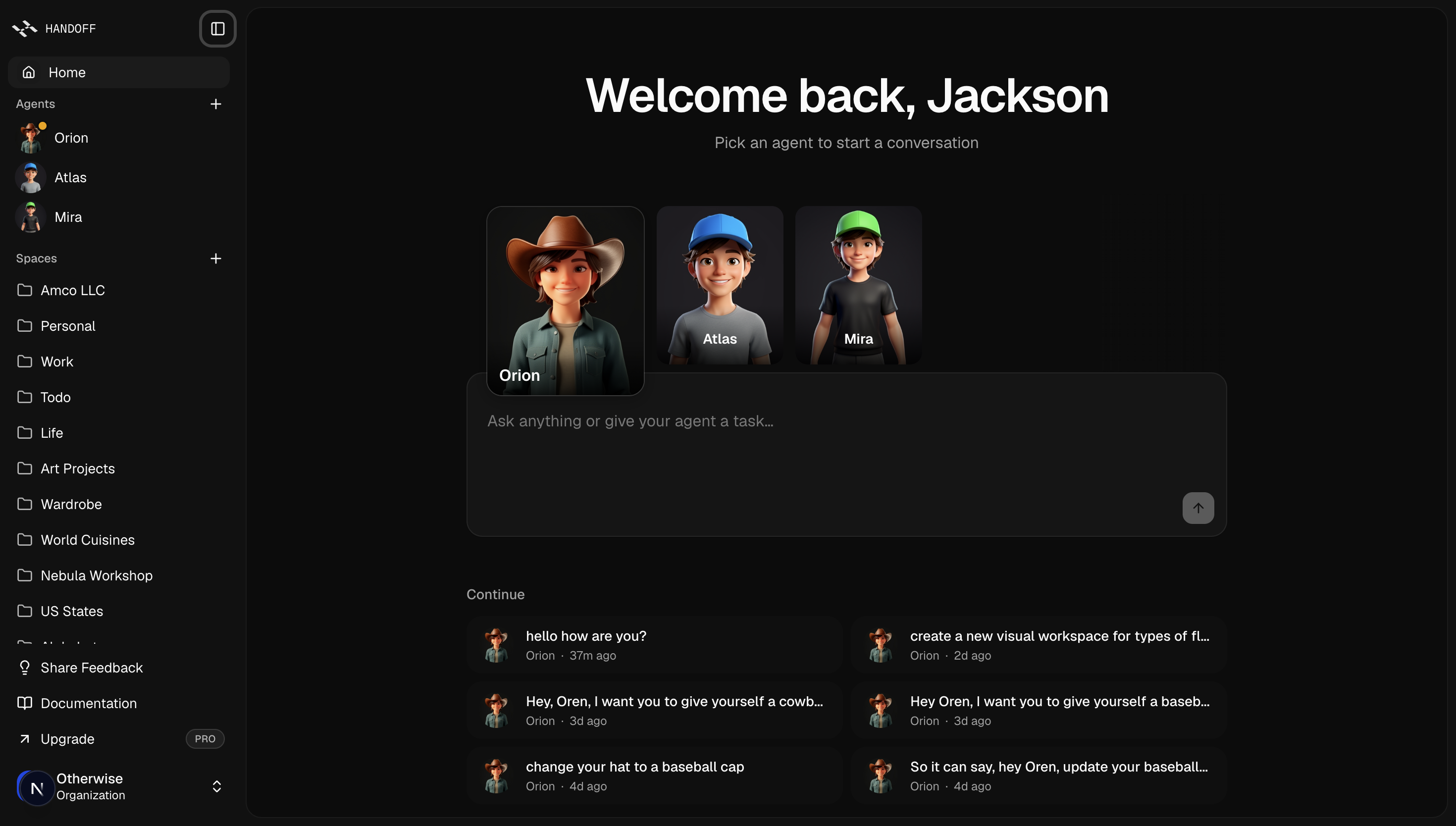
A user signs in to Handoff at handoff.computer and lands in the authenticated web app.
Open default agent
The user clicks their default agent in the left sidebar and opens the text channel settings.
Enter phone number
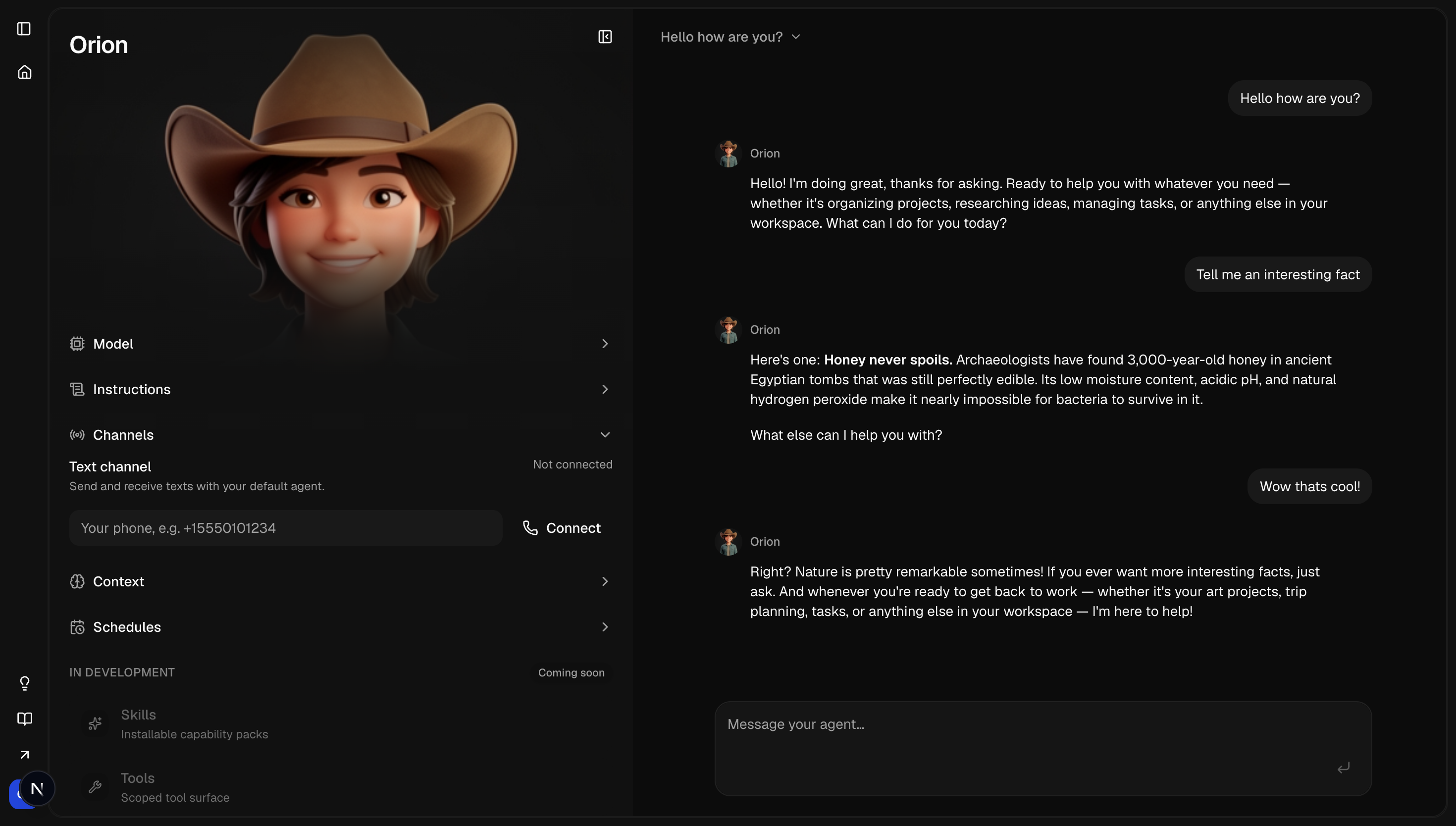
The user enters their mobile phone number in the authenticated Handoff web app where the SMS consent disclosure is also shown.
Give active consent
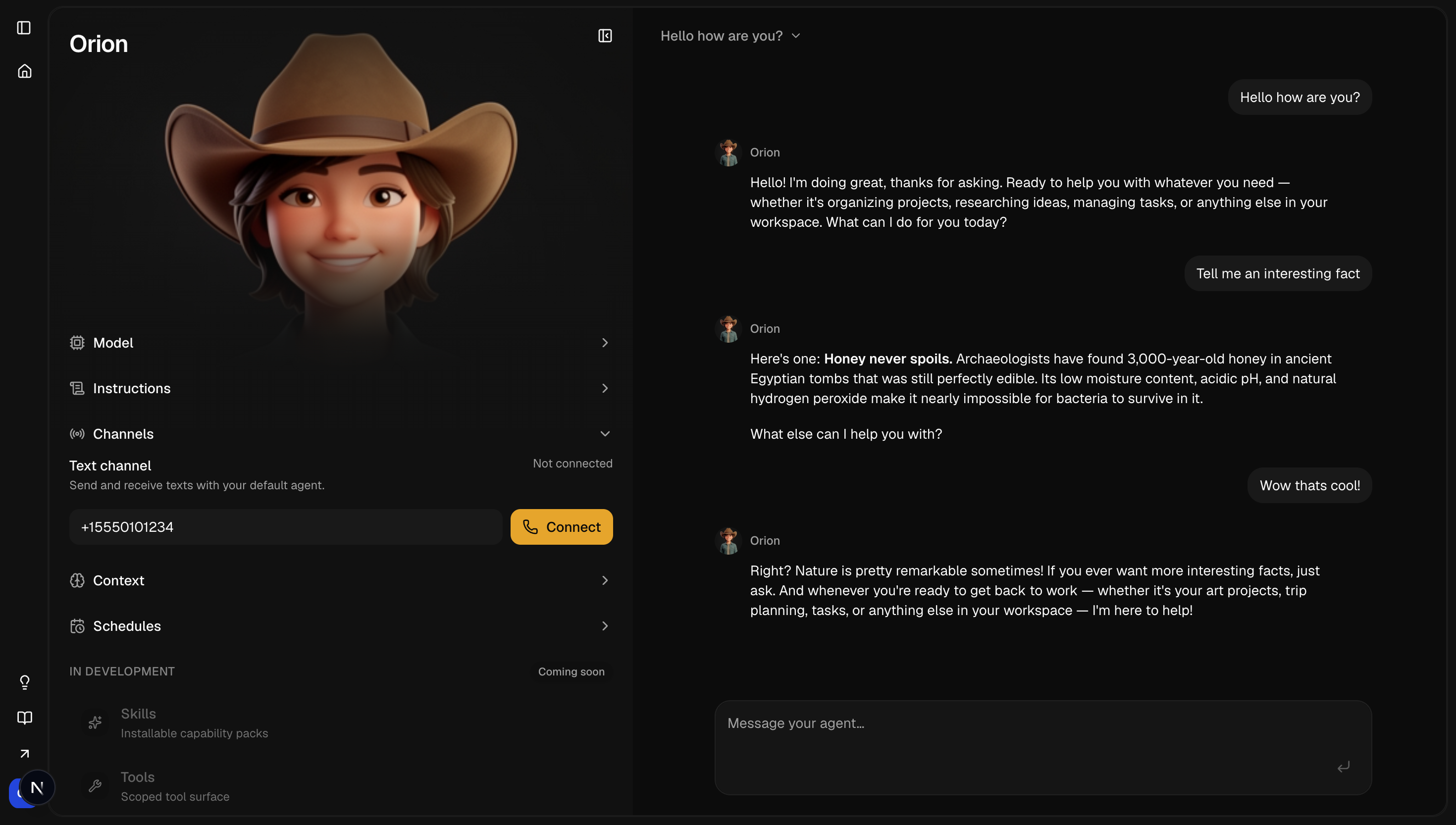
The user checks an unchecked consent box shown with the phone number field. The Connect action is unavailable until the box is checked.
Enable texting
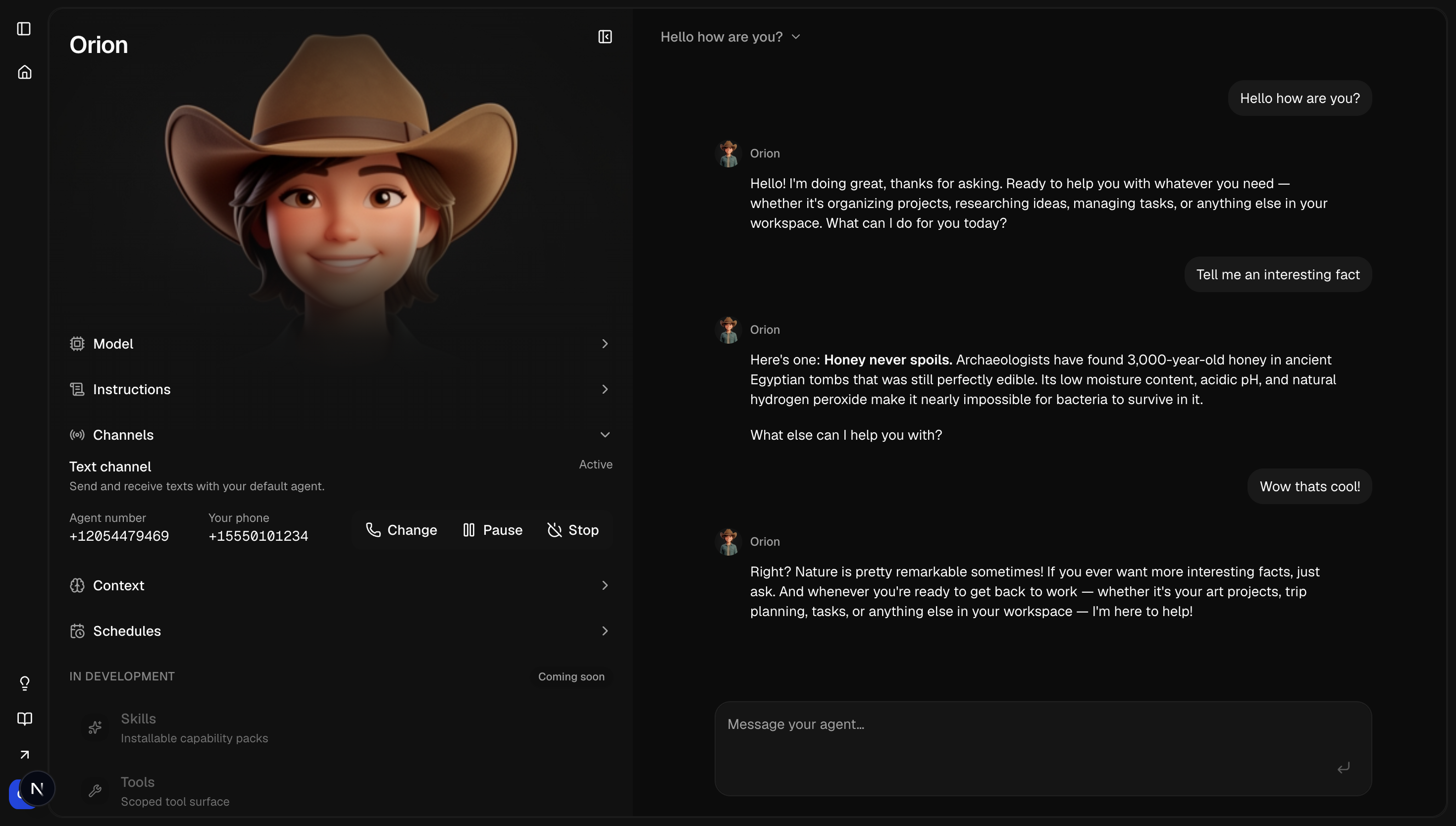
The user clicks Enable texting or Connect. Handoff then shows the Handoff texting number and the user's connected phone number.
Opt-in screenshots
These images show where the user finds the text channel and how the phone number and SMS consent flow appears in Handoff.
The user starts in the authenticated Handoff web app and clicks their default agent in the left sidebar.
After selecting the default agent, the text channel screen shows the phone field, unchecked SMS consent checkbox, and disabled Connect action.
The user enters their mobile number and checks the SMS consent box. Connect becomes available only after both the phone number and consent are present.
After consent and connection, Handoff shows the texting number, user's phone number, and Change, Pause, and Stop controls.
User controls
Sample messages
Privacy and terms
Handoff does not sell mobile phone numbers, SMS opt-in data, or SMS consent records, and does not share them with third parties or affiliates for marketing or promotional purposes.